Tuesday, July 7, 2026 5 min read Microsoft
Best Microsoft Tools for Digital Workplace Collaboration
Discover the best Microsoft tools for digital workplace collaboration, including Teams, SharePoint, OneDrive, and more for connected work.
Microsoft 365 has become one of the most widely adopted digital workplace ecosystems because it brings communication, document management, file sharing, automation, and employee engagement into a connected platform. Rather than relying on separate applications for every task, organizations can use Microsoft tools together to create a more productive and collaborative work environment.
However, selecting the right tools is only part of the equation. Businesses must also understand how these solutions work together and how they can be customized to support their unique workflows. This is where a digital workspace consultation can help organizations build a collaboration strategy that aligns with their business goals.
What Makes a Successful Digital Workplace?
A successful digital workplace goes beyond providing employees with software. It creates an environment where people can communicate effectively, access information quickly, and collaborate without barriers.
Key elements of a modern digital workplace include:
- Real-time communication
- Centralized document management
- Secure file sharing
- Knowledge management
- Process automation
- Employee engagement
Microsoft 365 addresses each of these requirements through a collection of integrated applications. When implemented strategically, these tools can serve as a powerful office customization tool that adapts to the way your organization works rather than forcing teams into rigid processes.
Organizations often begin with a digital workspace consultation to identify collaboration challenges, evaluate existing systems, and determine which Microsoft tools can deliver the greatest value.
Read more about how a digital workplace improves communication and collaboration across modern organizations.
Check out the best intranet features in Microsoft 365 and SharePoint.
Microsoft Teams: The Hub for Workplace Communication
Microsoft Teams has become the central workspace for communication and collaboration across many organizations.
Teams combines instant messaging, video conferencing, file sharing, and project collaboration into a single platform. It allows employees to communicate in real time without relying exclusively on email.
- Real-Time Collaboration – Teams enables employees to collaborate on documents while discussing projects through chat, and voice or video meetings. Team members can also co-author files simultaneously, reducing delays and version control issues.
- Meetings, Calls and Chat – Team supports both internal and external collaboration. Employees can conduct meetings, share presentations, and maintain project discussions within a centralized workspace.
- Integration with Microsoft 365 – With the integration of other Microsoft applications, Teams automatically connects to SharePoint and other Microsoft 365 services, creating a unified environment.
SharePoint: The Foundation of Your Digital Workplace
While it looks like Teams covers everything, SharePoint is actually the foundation of many successful digital workplace environments.
SharePoint provides centralized document management, intranet capabilities, content governance, and knowledge-sharing features that support organization-wide collaboration.
- Centralized Document Management – SharePoint creates a single source of truth for organizational documents. Businesses can centralize content into one document library while maintaining appropriate access controls.
- Intranet and Knowledge Sharing – SharePoint is often used as a corporate intranet. As an office customization tool, SharePoint allows organizations to create branded intranet experiences tailored to different departments, locations, or business functions.
- Workflow Automation Opportunities - SharePoint also supports workflow automation through integration with Microsoft's Power Platform. Organizations can streamline approvals, document reviews, onboarding processes, and other repetitive tasks.
Because SharePoint environments often require thoughtful planning and governance, many businesses work with experienced SharePoint consultants to design information architecture, improve user adoption, and ensure long-term scalability.
SharePoint consultants can also help organizations maximize return on investment by aligning the platform with operational goals rather than simply deploying technology.
Learn more about how SharePoint intranet solutions support employee engagement.
OneDrive: Secure File Storage and Sharing
OneDrive serves as Microsoft's cloud storage solution for individual users and small-scale collaboration. While SharePoint focuses on organizational content, OneDrive is designed for personal work files and draft documents.
- Access Files Anywhere - Employees can securely access files from virtually any device, making OneDrive particularly valuable for remote and hybrid work environments.
- Secure Sharing - Users can share documents internally or externally while maintaining control over permissions and access levels.
- Version Control - OneDrive automatically maintains version history, helping employees recover previous file versions when needed.
When combined with SharePoint and Teams, OneDrive becomes an important component of a larger digital workplace strategy. Businesses exploring these opportunities often benefit from a digital workspace consultation to determine how content should be managed across each platform.
Power Platform: Extending Workplace Collaboration
- Power Automate - Power Automate enables businesses to automate repetitive tasks and approval processes, such as employee onboarding workflows, document approvals, IT service requests, and leave management processes.
- Power Apps - Power Apps enables organizations to build custom business applications without extensive development resources. It is used as an office customization tool to create tailored solutions for specific operational requirements.
- Power BI - Power BI transforms business data into actionable insights through dashboards and visual reporting.
How These Microsoft Tools Work Together
The true value of Microsoft's collaboration ecosystem emerges when these tools are used together.
A typical digital workplace may operate as follows:
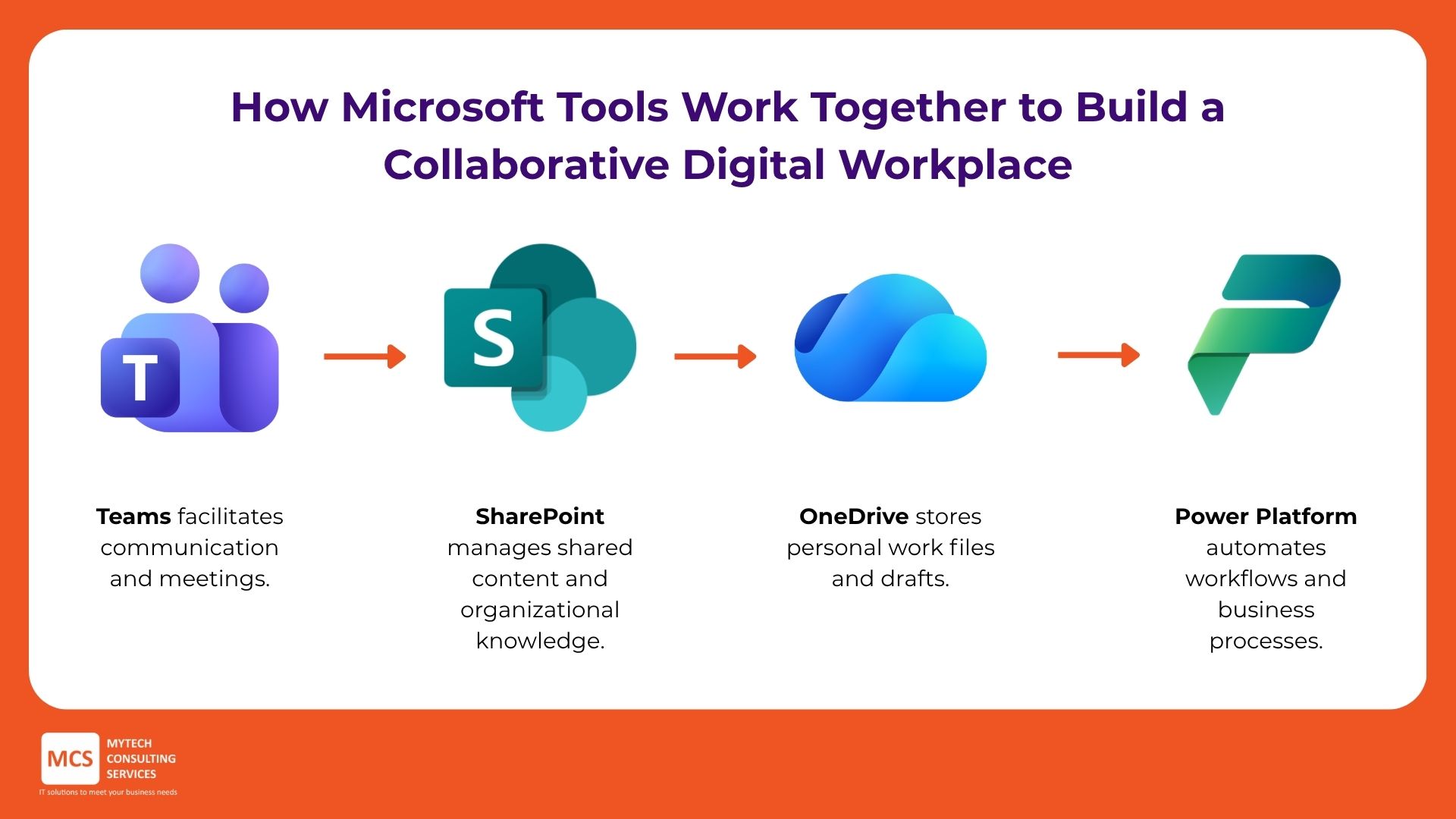
- Teams facilitates communication and meetings.
- SharePoint manages shared content and organizational knowledge.
- OneDrive stores personal work files and drafts.
- Power Platform automates workflows and business processes.
Rather than functioning as separate applications, these tools create an integrated collaboration environment. And this integrated approach often requires careful planning, which a digital workspace consultation can help organizations identify how each solution should be configured, governed, and adopted to maximize business value.
Why Many Organizations Need Expert Guidance
Deploying Microsoft tools is relatively straightforward. Achieving widespread adoption and measurable business outcomes is more challenging.
Organizations frequently encounter issues such as:
- Poor information architecture
- Duplicate content
- Low user adoption
- Governance challenges
- Security concerns
- Inconsistent collaboration practices
This is why many businesses partner with providers offering IT consulting services in Australia to guide their digital workplace initiatives. With the right provider, you can ensure that every office customization tool aligns with business objectives and user needs.
Final Thoughts
Microsoft Teams, SharePoint, OneDrive, and Power Platform each play a distinct role in workplace collaboration. Together, they create an integrated environment that supports communication, knowledge sharing, productivity, and employee engagement.
Organizations that invest in a digital workspace consultation can better understand how these tools fit within their operations and identify opportunities for improvement. Likewise, working with experienced SharePoint consultants and providers of IT consulting services in Australia can help ensure long-term success.
When implemented strategically, Microsoft's collaboration ecosystem becomes far more than a collection of applications; it becomes a powerful office customization tool that supports business growth, innovation, and workforce productivity.
Frequently Asked Questions
What is the best Microsoft tool for collaboration?
Microsoft Teams is often considered the primary collaboration hub because it combines communication, meetings, and file sharing in one platform. However, its effectiveness increases significantly when used alongside SharePoint and OneDrive.
Is SharePoint still relevant for modern workplaces?
Yes. SharePoint remains one of the most effective platforms for document management, intranets, knowledge sharing, and content governance within Microsoft 365 environments.
Read more about SharePoint and why it’s the most effective platform for digital workspaces.
What's the difference between SharePoint and OneDrive?
OneDrive is designed primarily for personal file storage and sharing, while SharePoint supports team collaboration, document management, and organizational content management.
When should a business consider a digital workspace consultation?
SharePoint consultants help organizations design scalable environments, improve user adoption, establish governance frameworks, and maximize the value of SharePoint investments.
Related Article: Creating an Employee Portal Using SharePoint
Source:
https://support.microsoft.com/en-us/office/collaborating-with-teams-sharepoint-and-onedrive-9ea6aa07-6e5e-4917-9267-d4d361da3dea
https://learn.microsoft.com/en-us/microsoftteams/teams-overview
https://learn.microsoft.com/en-us/sharepoint/intro-to-file-collaboration
https://learn.microsoft.com/en-us/sharepoint/deploy-file-collaboration